We remain fully operational. Our teams are working around the clock to ensure your deliveries continue safely.

DOWNLOAD THE APP


Copyright © 2025 Desertcart Holdings Limited
DOWNLOAD THE APP






Buy anything from 5,000+ international stores. One checkout price. No surprise fees. Join 2M+ shoppers on Desertcart.
Desertcart purchases this item on your behalf and handles shipping, customs, and support to Indonesia.
🎨 Elevate your digital canvas—draw, design, and dominate with Kamvas 13!
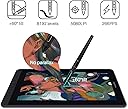
The HUION Kamvas 13 is a 13.3-inch pen display tablet featuring a battery-free PW517 pen with 8192 pressure sensitivity and tilt support. It offers dual USB-C ports for flexible connectivity, a full HD IPS screen with 120% sRGB color gamut and anti-glare protection, plus 8 programmable shortcut keys. Compatible with Windows, macOS, and select Android devices, its slim 11.8mm design makes it ideal for remote work, learning, and creative professionals seeking vibrant, precise digital drawing on the go.


| ASIN | B08519KV4Y |
| Active Surface Area | 13.3 Zoll |
| Best Sellers Rank | 3,643 in Computers & Accessories ( See Top 100 in Computers & Accessories ) 7 in Graphic Tablets |
| Box Contents | Pen Display, Digital Pen, 3-in-1 Cable, USB Extension Cable, Pen Holder PH05A, Pen Nib x 10, Pen Nib Clip, Glove, Cleaning Cloth, Quick Start Guide |
| Brand Name | HUION |
| Colour | Purple |
| Compatible Devices | Desktop, Laptop, Tablet |
| Country of Origin | China |
| Customer Reviews | 4.4 4.4 out of 5 stars (2,040) |
| Display Type | LCD |
| Item Dimensions L x W | 37L x 22W centimetres |
| Item Weight | 900 Grams |
| Manufacturer | HUION |
| Manufacturer Part Number | Huion |
| Model Name | GS1331 |
| Model Number | GS1331-Purple |
| Native Resolution | 8192 |
| Network Connectivity Technology | USB |
| Operating System | Windows 7 or later, macOS 10.12 or later, Android(USB3.1 DP1.2 or later) |
| Pressure Sensitivity | 8192 Levels |
| Product Features | Supports Android Devices; Pen Tech 3.0; Battery-Free Pen; 120% sRGB Color Gamut |
| Screen Size | 13.3 Inches |
| Specific Uses For Product | Editing; Gaming; Painting; Teaching; Writing |
| Target Audience | Student, Teacher |
J**S
Nice piece of tech at a reasonable price
Some people say there's not much difference between a drawing tablet and a display tablet. I think they're wrong! I own a Wacom CTL-672 that won't track properly and destroys the pen nibs within days. I also own a XP-PEN Deco 01 V2 which is okay, but looking at the screen instead of where you're drawing takes a bit of getting used to and it always felt like I was spending longer to get the results I wanted. When you upgrade to a display tablet, you realise that those cheaper drawing tablets were somewhat holding you back. Being able to see your strokes directly under where you're applying the pen nib makes drawing easier. It's not the same as drawing on paper, but it's very close. The cursor on your computer is almost exactly where the nib touches on the screen and since you're looking directly at it while applying pressure, it feels more authentic. There was no stand included with this tablet, which was disappointing but I ended up buying the Huion stand made for their Kamvas 16, which is solid. You really do need a stand because tilting your head down will eventually make your neck and back ache. Buy a stand at the same time you buy the tablet rather than later! Actually looking at the tablet screen and drawing on it, I have no issues so far. The screen isn't as bright as you'd expect but it's by no means too dim to work on. I think the built in screen protector might be affecting the amount of brightness. Speaking of the screen protector, it makes the surface feel a bit like paper. There's resistance, but not too much, which feels nice. The screen colours seem decent and I don't feel like any part of the spectrum is unbalanced. The stylus pen is quite chunky and has a rubberised cover where your finger tips sit. There are 2 buttons in this area which work well as middle click and right click, though you can customise these in the driver software. The buttons themselves seem a little less solid than the buttons on the XP-PEN stylus, but they work fine. The stylus feels good to use for several hours without any fatigue. Using the included glove prevents sweat and oils making their way onto the stylus and tablet screen. Whenever you're not using the stylus, it can be placed in one of two ways in the stylus holder. The stylus holder also contains spare nibs. There's 2 ways to connect this tablet. The first way is the same way many tablets connect, with a 3 way cable that has 1 connection to the tablet with 1 USB data cable, 1 USB power cable, and 1 HDMI video cable back to the computer. The second way is with a USB-C cable, which not only needs to have a long enough connector to fit into the tablet (Huion's own vastly overpriced cable seems to be the only one that fits without any issues) but your computer also has to be capable of delivering a compatible signal over that USB-C cable. Some modern mobile devices are capable of delivering a signal, though I don't own any of those and couldn't test that feature. All in all, very pleased with this tablet and impressed at how cheap it is for what you get.
H**N
Amazing Value for Digital Artists – Smooth, Responsive, and Portable!
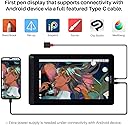
The HUION Kamvas 13 has completely upgraded my digital art workflow. From unboxing to drawing, everything about this tablet has impressed me. The screen is vibrant and sharp with great color accuracy, and the matte finish gives it a natural, paper-like feel that’s super satisfying to draw on. The pen is lightweight, comfortable, and highly responsive—no noticeable lag or jitter. Pressure sensitivity and tilt work beautifully, allowing for smooth, nuanced strokes. Setup was quick, and it connected to my laptop with no issues. I love that it supports USB-C to USB-C, so I can use it with my Android phone too when I’m on the go. The customizable shortcut keys on the side are a nice bonus and really help speed up my workflow in programs like Photoshop and Clip Studio Paint. It’s also surprisingly lightweight and easy to carry, making it a great choice for students, hobbyists, or even pros on a budget. Overall, the Kamvas 13 delivers performance that rivals much more expensive tablets. If you're looking for a reliable, high-quality drawing display without breaking the bank, this is it. Couldn’t be happier with my purchase!
J**S
Great Tablet
Excellent. A good-sized screen, nice colours. Stylus is nice. Good value for the price. Works on Linux, but some functionality is missing. Quite frankly, I only wish I'd went ahead and forked out for the 16.
T**I
Paper like drawing on a portable screen
Great drawing tablet! The matte screen is large enough to fit Clip Studio Paint on comfortably while still being portable. Using the pen feels like drawing on paper which makes the experience fantastic and allows getting great lines a cinch. Overall a fantastic companion for digital artists at a fantastic price point.
M**Y
It's so smooth!
It's so easy to use and takes under 5 minutes to get it set up. My teenage daughter has used it constantly for the last 3 months with no issues and finds it much easier than the tablets without screens after using a wacom for the last 2 years. The screen is very responsive and good quality it makes digital drawing much quicker and easier. As a parent I obviously needed to see what all this digital drawing/art fuss was about so gave it a go and wow! It's just like drawing on paper but so much better, my daughter quickly taught me the basics and I quickly got to grasps with the layers, it was so much easier than using a pencil and rubber. It felt so smooth and was instantly responsive. The pen was also great, just the right size, and didn't cause cramp also the grips are in a good position. I loved it and lost a few hours doodling away, I can see the appeal. Parents if you're reading this because your child likes digital art, I'd recommend this, it's very good quality for the price in comparison to some others and will definitely help your child unlike their art class. After all, children today won't be retiring until at least 2075 so who knows what jobs they will be doing. Plus, Nfts have made digital art big business. So definitely a must for any digital artist.
K**E
Het is een prachtig tablet. Werkt heel goed. Driver vlot geinstalleerd na afzetten antivirus (effe zoeken hoe). Nadeel : het is niet duidelijk wat je erbij krijgt. Geen power adapter, geen USB C kabel. Enkel een 3 way cable. Dat mocht duidelijker, één ster minder.
E**T
Prof de Dessin j'étais sceptique sur les tablette écrans et j'ai essayé celle-ci chez un ami, 10 mn après je la commandais sur Amazon a un prix imbattable. Je l'utilise avec le logiciel Rebelle 8.2 et elle a un écran sans reflet avec un bonne etendue des couleur qui approche les 100 % du Gammut ( 120% du sRVB). Stylet Ergonomique avec des boutons programmables et boutons sur la tablette en elle même aussi. Gestion de la pression précise et de l'angle du stylet aussi. Je suis étonné de la qualité par rapport a la marque Wacom modèle Cintiq qui sont beaucoup plus cher pour un résultat très proche . Tres bon produit pour conclure
K**N
My son is completely in love with this. Very satisfied.
J**E
Ik heb de Huion Kamvas 13 al enige tijd in gebruik. Tot zover een toppresteerder gezien andere merken zelfs tweedehands een hogere prijskaartje heeft. Deels is dat mogelijk te relativeren aan de bouwkwaliteit, maar voor deze prijs krijg je waar voor je geld. Ook gezien je features (vb. 8192 drukniveaus op de pen) krijgt die bij andere teken tablets in een hoger prijssegment zitten. Het enige gebrek dat ik kan noemen is dat hij niet met een standaard wordt meegeleverd, maar deze is gedurende schrijven met korting erbij aan te schaffen. - I've been using the Huion Kamvas 13 for a while. So far it's been a top performer considering other brands have a far higher price tag even second hand. Partially that could be contributed to possible build quality differences, but for this price you're getting your money's worth. Also considering you're getting features(i.e. 8192 pressure sensitivity levels on the pen) found in a higher price segment. The only shortcoming I can mention is that the stand is not included, but that as of writing purchasable with a discount.
A**A
Probabilmente la migliore tavoletta della Huion. Con la penna nuova che solo questo modello ha, L'entrata della punta (sospensione) non c'e' piu, la punta adesso e' ben salda e non lunga come prima. La pellicola protettiva gia inclusa rende la penna come se si stesse disegnando sul foglio. E credo che anche la calibrazione qua sia migliore che nelle altre Huion. I materiali sono top. Questa tavoletta non ha nessun svantaggio. Per quanto riguarda il collegamento unico con cavo tipo c opzionale e' un po piu difficile del previsto. Mi sono comprato apposta un cavo tipo c con velocita 10gbps ma neanche questo funziona, quindi anche se trovate i cavi tipo c di 2 gen 3.1 potrebbe comunque non funzionare anche se riuscisse a entrare nel'entrata.
Trustpilot
1 month ago
1 day ago