We remain fully operational. Our teams are working around the clock to ensure your deliveries continue safely.

DOWNLOAD THE APP


Customer Services
Copyright © 2025 Desertcart Holdings Limited
DOWNLOAD THE APP



Buy anything from 5,000+ international stores. One checkout price. No surprise fees. Join 2M+ shoppers on Desertcart.
Desertcart purchases this item on your behalf and handles shipping, customs, and support to Indonesia.
🎧 Turn nostalgia into now — digitize your soundscape with DriverGenius AV202-B!
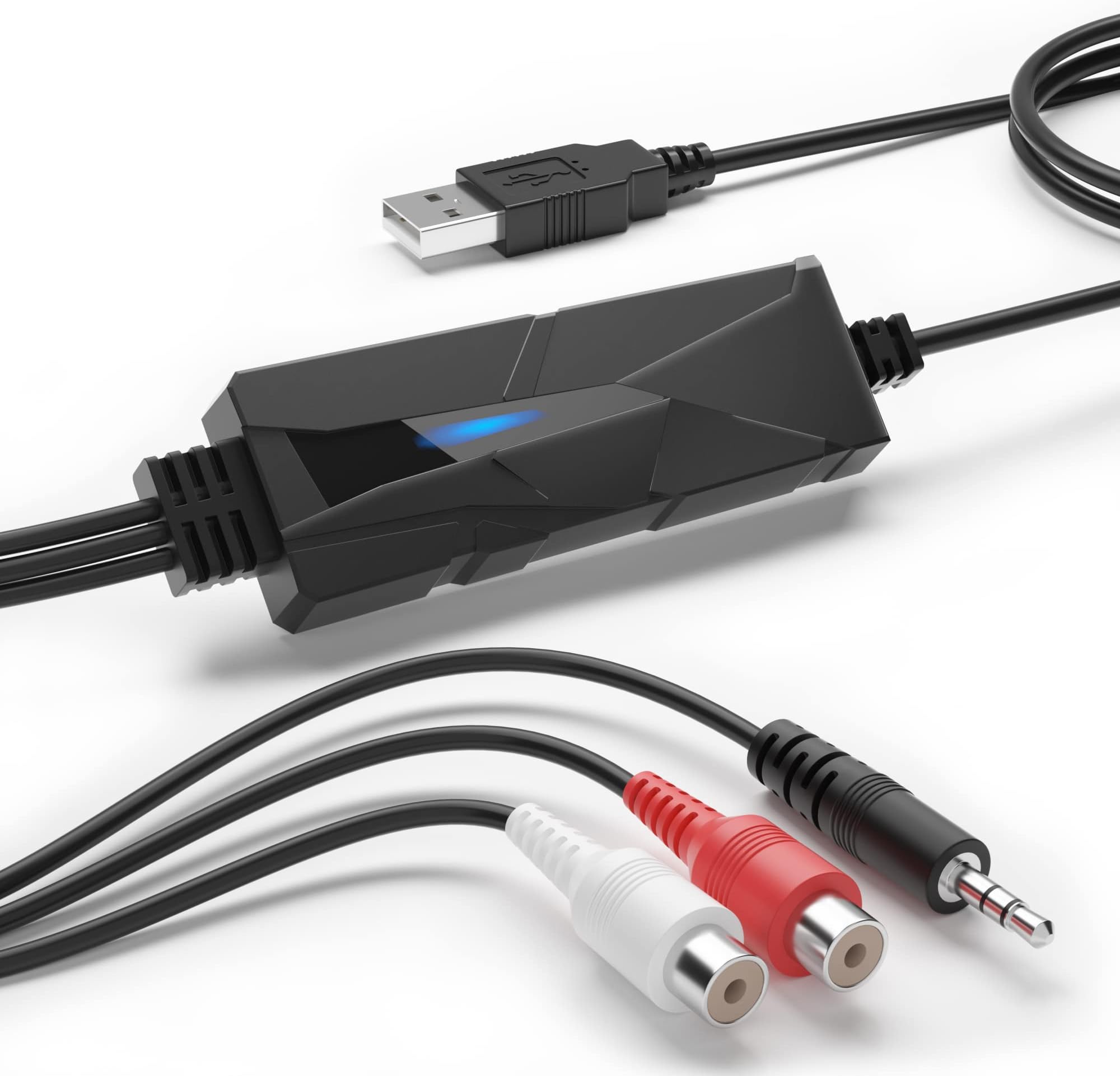
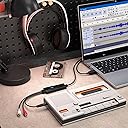
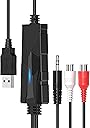
The DriverGenius AV202-B is a compact USB 2.0 audio capture device designed to convert analog audio sources like cassette tapes, vinyl records, and FM radio into high-quality digital MP3 or WAV files. Featuring 3.5mm and RCA stereo inputs, it supports 44.1 and 48kHz sampling rates at 16-bit depth, ensuring professional-grade sound. Compatible with Windows 7 through 11 and macOS 10.14+, it offers plug-and-play ease with popular editing software such as Audacity. Backed by a 2-year warranty, this device is the perfect tool for millennials seeking to preserve and relive their vintage audio collections in a modern digital format.


| ASIN | B00XU4NT6K |
| Best Sellers Rank | #59 in Internal TV Tuner & Video Capture Cards |
| Brand | DriverGenius |
| Built-In Media | Capture Card |
| Color | Audio Grabber (Black) |
| Compatible Devices | MP3 player, computer, portable CD player, or car stereo or home stereo system. |
| Connector Type | USB2.0, 3.5mm Audio, RCA R/L |
| Current Rating | 500 Milliamps |
| Customer Reviews | 4.3 4.3 out of 5 stars (1,044) |
| Input Voltage | 5 Volts |
| Item Dimensions | 3.15 x 1.18 x 0.39 inches |
| Item Type Name | USB Audio Capture |
| Item Weight | 57 Grams |
| Manufacturer | Fly Kan Tech Co., Limited (H.K.) |
| Model Number | AudioXfer - 1 Pcs (A) |
| Number of Items | 1 |
| Number of Ports | 2 |
| Package Quantity | 1 |
| Power Plug Type | No Plug |
| Specific Uses For Product | The USB 2.0 Audio Capture Card Device provides users an easy solution to digitize analogue audio feed into digital format via USB interface. |
| Unit Count | 1.0 Count |
| Warranty Description | 2 Year |
| Warranty Type | Limited |
J**Y
Works out of the box with Audacity and Linux systems
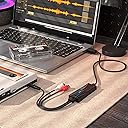
I just received this last night and my initial use attempt could not have been easier. I have a fairly large collection of vinyl LPs and singles and I'm finally getting to work with them again after many years. I'm using vintage gear I've kept over the years (Technics SL-D1 turntable, Sony TA-F40 integrated amp). I have a number of vinyl albums that are out-of-print, hard to find or not available on streaming services. I wanted to use the gear I had to rip the music from the vinyl to digital files. I decided to give this Driver Genius device a go, based on the positive reviews. I have a MacBook, but I really hoped it would work with my preferred Kubuntu-based Linux docked laptop system. I was not disappointed. I used the "Tape Monitor" output on the Sony amp as the source. The Technics turntable connects to the Sony's photo pre-amp input. I connected two RCA male plugs from the amp to the female RCA plugs on the Driver Genius device, and the USB connector into a USB port on the Linux laptop system. Audacity, the open source recording software, detected the device as a "USB PnP Audio Device. " I queued up an LP on the turntable, lowered the stylus, hit the record button on Audacity and the software immediately registered a waveform as the recording was made. Users can choose to save completed recordings to WAV or MP3 files (I chose WAV so they can be converted to FLAC). I only created a few files with this, but the sound of the resulting music is really great. Audacity provides a number of tools for improving and fixing your files. That's it. This is about as simple and easy as it gets from a user perspective, and this little device does everything I expected without a burp.
E**S
Simple, easy, works immediately!
My Tascam US-144MKII got "bricked" by Tascam due to the latest Mac upgrades, so I can't use it any more. So I need to get my old audio cassettes into digital form. I already own a Sony Walkman Professional with a good line signal. I read a bunch of reviews and it seems people rate this item lower because they're depending on free software with which to record like Audacity, which isn't Catalina compatible. But I don't use Audacity. I've been using SoundStudio for years. I also use GarageBand, so I had backup. I plugged this device into my iMac's USB (it's old enough that it has USB2.0 ports), the other end into the Walkman, pressed "record" and the line level is working perfectly. True plug and play. No drivers to install. It's like having a new audio in. And this thing is cheap! Great value!!
F**A
Great, except they die for no reason?
I've recommended these to friends for streaming (before a lot of the DJ software made it easy to capture their audio directly) and they work very well to quickly add an audio capture device on Windows, Mac, or Linux. They are supported out of the box without driver installation, even on Linux, where it shows up as an ALSA device that "just works". The sound quality is fine, not audiophile, but absolutely acceptable for streaming. I wouldn't use one of these if I was, for example, archiving vinyl or something, but for general audio capture, it works well. The problem is that I have had two of them fail for no reason in the past two years. It's a twenty dollar USB device, so I can't really complain that much. But by way of comparison, I also have a Griffin iMic, which cost thirty three dollars ten years ago, that still works. It's a comparable product - albeit, it uses 3.5mm jacks exclusively - but apparently the build quality is that much better. It's been bounced around multiple houses, tossed from box to box and place to place, and it still functions as well as the day I bought it. But two of these VTOP USB audio interfaces have died on me in two years.
B**G
Great inexpensive audio capture device
This is a great inexpensive audio capture device. We had some old audio cassettes that we wanted to preserve in digital format. Having looked into hiring out this service we thought we would try to do it ourselves. I would like to point out that it suggests that you disable any anti-virus software on your computer in order to install the software included on the disk....just remember to turn your anti-virus software back on! Once we connected the RCA cables to our cassette player the software pretty much did the work for us. We were surprised how easy the process was and the audio quality was pretty good coming from a 30 year old cassette tape. I am not a techie type person and was hesitant to try this myself but was surprised at how simple the process was and the results were good. For less than $20 we were able to preserve the voice of a late family member.
J**S
Didn't record in stereo. Right channel input was captured on both Left/Right channels.
It's a bad sign when the first product you buy from a company doesn't work correctly out of the box. The unit I received would only capture on the Right channel. The left channel was dead. But the content on the right channel was captured and output to both Right and Left channels. It looks like it's working, but it isn't. I sent it back as defective the next day. I'm really glad Amazon has these return policies because a lot of junk like this will end up in a bin where it belongs instead of eating a hole in your wallet. UPDATE: After some further testing I've discovered that this capture device doesn't work as expected with Windows 11 or Windows 10. I was able to get independent Right and Left channels to work with Audacity on Linux. That seems to work OK. It may also work fine on a Mac.
J**K
Audiovidinfoaporium
This thing, I mean wow! This thing… it uh yea it’s, well the way it works is… ummm idk why I bought this.
A**R
Lumin M1 envoyer analog to usb
C**N
Es increíble pasar los cassettes a mp3. Se consigue una calidad de sonido mejor que la de la cinta. Cierto es,que lo grabo desde un equipo por módulos, y dependiendo el sonido de la grabación ( cinta),ecualizo. También parto de cintas muy cuidadas. Nota: tuve que borrar unos programas del ordenador y descargar unos nuevos para poder ejecutar el cd. Esa información la encontráis en youtube, es sencillo. Merece la pena
T**O
Ottimo prodotto funziona in maniera adeguata io lo uso principalmente collegato al mixer della consolle per registrare i miei dj set, si connette automaticamente tramite usb e viene riconosciuto come ingresso microfono dal programma Audacity in dotazione nel dischetto che trovate nella confezione,ricordo di impostare nelle preferenze del programma la frequenza di campionamento a 16 bit ,molto versatile funziona bene con Win 10 istruzioni anche in in italiano garanzia 24 mesi supporto tecnico impeccabile lo consiglio vivamente. Excellent product works properly, I use it mainly connected to the console mixer to record my dj sets, it connects automatically via Usb and is recognized as a recording microphone input by the Audacity program supplied on the disk that you find in the package, remember to set in the program preferences 16 bit sampling rate, very versatile works well with Win10 instructions in Italian 24 months warranty impeccable technical support I highly recommend it.
S**M
Great for recording my vinyl collection ,easy plug in and play ,using windows 11 so does work on windows systems as some saying wasn't,great sound quality recording too from my vinyl player
C**Y
この商品のお陰で、長年、悩んでいたMD音源からのデジタル化に成功しました。 ありがとうございました。
Trustpilot
1 month ago
1 day ago