Buy anything from 5,000+ international stores. One checkout price. No surprise fees. Join 2M+ shoppers on Desertcart.
Desertcart purchases this item on your behalf and handles shipping, customs, and support to Indonesia.
✨ Stick with the best — Make your mark, literally! 🖨️
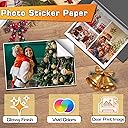
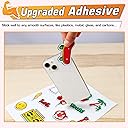
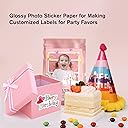
Koala Printable Glossy Sticker Paper offers 120 sheets of premium 8.5x11 inch white glossy paper designed for inkjet printers. Featuring strong adhesive and vibrant photo-quality finish, it’s perfect for professional and personal use, compatible with cutting machines, and ideal for a wide range of labeling and creative projects.


| ASIN | B07XCNBT8K |
| Best Sellers Rank | #1,124 in Office Products ( See Top 100 in Office Products ) #6 in Inkjet Printer Paper |
| Brand | KOALA PAPER |
| Brand Name | KOALA PAPER |
| Brightness | 98 Lumen |
| Color | White |
| Customer Reviews | 4.6 out of 5 stars 4,198 Reviews |
| Item Dimensions L x W | 11"L x 8.5"W |
| Item Type Name | Sticker Paper |
| Item Weight | 1.52 Kilograms |
| Manufacturer | KOALA PAPER |
| Material Features | durable |
| Paper Finish | Glossy |
| Paper Size | 8.5x11 Inches |
| Paper Weight | 61 |
| Sheet Count | 120 |
| Sheet Size | 8.5x11 Inches |
| Unit Count | 120 Count |
S**N
Vibrant color prints. Great adhesion as well
Looks amazing. Absorbs the ink well with no smudges. Easy to use in printer with no feeding issues. The perfect thickness for book making. The colors come out vibrant and great quality prints.
B**B
Great product
Very easy to use and is compatible with ink jet printers. I have the Cannon and it came out nice!
A**D
Perfect for my sticker shop
The previous sticker paper brand I used became prohibitively expensive, so I decided to try Koala's paper. It's actually a brighter white than the previous brand and the print quality seems to be just as good and my stickers are vibrant and the fine details are crisp. I haven't had any issues with smearing or anything, and it works perfectly with my inkjet printer. I do add a holographic laminate over my stickers both for aesthetic as well as to make them waterproof and improve their overall durability. My only complaint (which isn't really a complaint) is that I print and cut die cut stickers, and the sticker separates from the paper backing easily, especially on smaller stickers. This can be a problem when removing them from the cutting mat, but I've found that as long as I take a bit more care, this usually isn't an issue.
L**.
Thin Vinyl glossy white sticker paper
This is a very glossy sticker paper, I think it is a thin vinyl surface sticker paper. Possibly waterproof, I have not tested it but it feels like it. Honestly too glossy for me. It's got a squeaky surface because it's glossy vinyl. It prints pretty well on an inkjet printer as advertised. I do usually find I need to increase the saturation about 30-40% when printing on it to get a good saturated image of digital art but I often increase the saturation 20-30% with my printer to get saturated color on digital art. The stickers cut well with scissors, or with print and cut function on my Silhouette Portrait with a standard auto-blade on sticker settings. You may want to reduce the force and depth slightly with your cutting machine as the backing paper is not very thick. Use a light grip cutting mat if machine cutting or the backing sticker paper may tear.
S**O
Great glossy sticker paper for craft projects
I purchased this glossy adhesive paper for a craft project, and it worked great for creating a large character design. I used it to make a Winnie the Pooh cutout, and the colors printed clearly with a nice glossy finish. The paper adhered well to the surface and stayed in place while I worked on the design. I liked that it was easy to cut and handle without tearing, even for detailed shapes. The adhesive is strong enough to hold securely, but it can still be adjusted during placement if needed. In terms of quality, it feels appropriate for creative projects, decorations, and displays. As a small note, careful alignment is helpful when working with larger designs. Overall, it met my expectations and I would recommend it for crafts, posters, and decorative projects
K**Y
Solid stickers paper for school labels
I use this sticker paper to make labels for school notebooks. I like it because the printed colors come out nicely, it adheres well, and it’s easy to work with. Printer performance has been great, and the ink dries quickly, which help avoid smudging. I’ve never had an issue with the colors fading. The only thing I don’t love is that when I cut the stickers on my Cameo, it releases a slight white dust that ends up sticking to the cutting mat. As for water resistance, I can’t comment since I haven’t used it for that purpose.
K**F
Great Buy
These were super each to cut, the quality of the paper was great!!
F**Y
Perfect for small business sticker making
I’ve been using this glossy sticker paper for a while now and it’s one of my favorites. The print quality is very sharp and the colors come out vibrant and true to what I design. The finish is really smooth and professional, which makes my stickers look high quality. It feeds well through my printer and I haven’t had any issues with smudging. Definitely a go-to for glossy stickers!
R**S
Photo quality peal-n-stick full sheets
Photo printing on these sheets, got great results using my Canon PIXMA printer.
K**.
Se atora en la impresora
malisimo, la impresora epson L3250 se atora el papel en ella, se enrosca parece humedo aún, se atora en la impresora no me gustó ni me fué útil
M**D
ماعجبني
يمكن يناسب طابعات الليزر اكثر
X**X
Great sticker paper as long as you don't mind the odour
Update (2022): It seems that the adhesive of this sticker paper as of late have not been up to par so I would recommend reading the latest reviews (Feb/ March 2022) before you buy. I am leaving my review as 5 stars though, because my rating is based on my impressions of the product I purchased and received in the past :) --------- Update (2021 Mar): Added custom cut settings for silhouette portrait 3 --------- Original review: I was a little bit apprehensive about trying this paper out based on some of the reviews I read, but I'm glad i gave it a shot! I've used a few sheets now and so far, I have yet to encounter any problems with this product. In my review, I will also address some of the points that other reviewers have mentioned and some suggestions that might help if you are unsure about buying this paper. 1) The odour: Yeah I have to agree with other reviewers in pointing out the smell (the adhesive perhaps?). It's definitely there. I wouldn't say it's downright unbearable, but I can certainly see why people don't like it. It's probably just because there are so many sheets in the package that altogether, the smell is pretty strong since I can't smell anything coming off a small handful of stickers cut from this paper. Edit: after some time, the smell has faded considerably. The smell is no longer noticeable unless you bring it up to your nose. 2) Paper jamming: So far, I have NOT had any issues regarding jamming in my printer (Canon MX330). I think this might come down to the type of printer (loading mechanism?) you have and how many sheets you try to feed in at once. I usually only load 1 sheet at a time since I don't need to make my stickers in bulk although I have loaded up to 5 with no issue. I've heard a few comments from other people who say that some models that use a bottom feeding tray might have issues with passing thicker paper through, although I don't think this paper is particularly thick. The thickness is comparable to something like a light weight index card, if that gives an accurate comparison. 3) Adhesion: No issues encountered thus far. Stickers have stayed on virtually everything I've stuck them to with no peeling off. Depending on the surface you stick it on, you may be able to remove the sticker off without leaving any residue. Do note that if you try to remove the sticker, you'll probably damage it. It's hard to explain, but the surface gets crinkled with the action of peeling it off. I'd consider this sticker paper to be one time use. 4) Coating: The glossy paper is really nice and makes colours pop! Compared to my really expensive sticker paper which has a bright white, this paper has more of a cool, slightly off-white. I've used some paper where the gloss coating scratches when I run my nail across it, but this paper has held up to light scratches thus far. You can probably use some sort of coating to prevent some wear and tear, but since this material is still paper, you should expect that anything that ruins paper can ruin these stickers -- especially water! I have used this paper for shipping labels and I have not had any issues with barcode scanning (your mileage may vary). I prefer matte for shipping but I was in a pinch and didn't have any on hand. I have also written on the paper with permanent marker without any problems, although if you try to go over the same spot multiple times, the marker might eat away at the paper's gloss finish a bit... *** Printing tip: Be sure to set your printer to glossy media settings and avoid using the black ink cartridge, or any ink that is pigment based. Set your printer to use colour only and/or tweak the black to be an off-black. The reason for this is because black ink in my experience is usually pigment based and so it won't fuse properly with the paper which results in smudging! For the price, I'd say that this sticker paper is definitely one of the best I've tried. I was also a little skeptical as to whether or not the glossy package really came with 120 sheets so I weighed it on my scale. I had already used a few sheets, so my package was 1397g (each sheet is approximately 12g), for a total of 116 sheets, so there are definitely 120 in there (weird number for a pack of paper, but I'm not complaining). Do note that the backing is a FULL, UNCUT sheet, meaning there are NO SCORE LINES to help you remove the backing. I personally prefer this since I use this paper to make stickers, but it might not be preferable if you are looking to make something else like shipping labels. The backing sheet also has yellow text that say "PHOTO PAPER" running diagonally in multiple places, so keep that in mind if you are looking for a product that doesn't have any text on the reverse! Personally, I prefer a blank lining sheet because I think it looks more professional for my stickers, but I'm probably just picky about aesthetics. I just use the sticker paper for making return address labels and packaging stickers for my store so this doesn't bother me. In any case, I wouldn't dock a star for that minor detail. If you have a Cricut and are looking to make stickers, here are my settings that might help you out... I should point out that my blade has been used for several projects so at the time of writing my review it's not new. Each Cricut is slightly different so only take these numbers as a rough guide and adjust accordingly: Kiss cut: 140 Die cut: 200 Edit: Here are my settings for silhouette portrait 3! Kiss cut: force 3/ speed 10/ depth 3/ passes 1 Die cut: force 14/ speed 10/ depth 3/ passes 2 Tl;dr: 5/5 in my books!
M**N
Perfect paper for my Cricut but packaging could be better.
I have used these sheets this afternoon, before you read my review you need to know that I am a newbie with Cricut, this is my third day lol and I am rapidly learning. The package was damaged when it arrived, 2 corners had a little bend (1” x 1”) on the first 25 sheets, there was just a plastic envelope/bag over it and it was probably tossed during shipping. For me, I can keep the damage outside my cut area but just to let you know. The paper is very shiny and prints easy on my Canon Artisan 1430 with “glossy paper” setting, quality “high”. No jamming or smearing what so ever, so far so good. The Cricut will not recognize the black marker lines because it is glossy paper, it reflects the light back to the laser. First try I used 3M matte tape over the black marker lines but that was not enough, so I used a 2nd layer of 3M tape but only over 3” in the corners, that was PERFECT! So I guess the 3M tape that I have is still too transparent. I have an Explore Air 2 machine and I used the dial for the setting, I used the “paper” setting. This was almost perfect, a few dots wanted to come with the vinyl sheet but it was easy to handle that. I will ty next time the “kissy cut” that will solved that problem as well. RECAPP: Glossy photo paper setting – quality high You need to take care of the shiny black marker lines, 4 corners – 3” long tape. If you take care of the above you have a great product! WATERPROOF: I glue these sticker dots on plywood and put 2 layers of transparent water based acrylic over it without any smearing or bleeding, perfect for me!
Trustpilot
5 days ago
1 week ago