Buy anything from 5,000+ international stores. One checkout price. No surprise fees. Join 2M+ shoppers on Desertcart.
Desertcart purchases this item on your behalf and handles shipping, customs, and support to Indonesia.
🏷️ Make your mark with style — label like a pro, no batteries required!
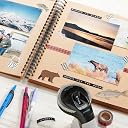
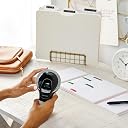
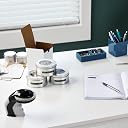
The DYMO Organizer Xpress Pro Embossing Label Maker is a lightweight, handheld tool featuring a 49-character turn-and-click wheel for easy, customizable embossing. This starter kit includes three vibrant label tapes (2 black, 1 red) and is designed for effortless, durable labeling ideal for home DIY, crafting, and organization without the hassle of electronics.

| ASIN | B0000AQOD3 |
| Additional Printer Functions | Print Only |
| B&W Pages per Minute | 1 |
| Best Sellers Rank | #3,857 in Office Products ( See Top 100 in Office Products ) #11 in Label Makers |
| Brand | DYMO |
| Built-In Media | 1 embossing label maker, 2 black and 1 red label cartridges |
| Color | Black/White |
| Color Pages per Minute | 4 |
| Connectivity Technology | Bluetooth |
| Control Method | Touch |
| Controller Type | Push Button |
| Customer Reviews | 4.0 out of 5 stars 37,150 Reviews |
| Dual-sided printing | No |
| Duplex | Manual |
| Global Trade Identification Number | 00071701063458 |
| Hardware Interface | Bluetooth |
| Ink Color | Black/White |
| Is Electric | No |
| Item Dimensions D x W x H | 6.25"D x 8.38"W x 3.75"H |
| Item Type Name | Color Laser Printer |
| Item Weight | 0.03 Pounds |
| Manufacturer | Dymo |
| Maximum Copy Speed Black and White | 60 ppm |
| Maximum Media Size | 11 x 17 inch |
| Maximum Sheet Capacity | 1 |
| Model Name | DYM12966 |
| Model Number | 12966 |
| Model Series | Xpress Pro |
| Number of Trays | 3 |
| Other Special Features of the Product | Portable |
| Output sheet capacity | 1 |
| Paper Size | 3/8" |
| Print media | Labels |
| Printer Connectivity Type | Bluetooth |
| Printer Output Type | Monochrome |
| Printer Type | Embossing |
| Printing Technology | Embossing |
| Processor Count | 1 |
| Scanner Type | Photo |
| Series Number | 12966 |
| Special Feature | Portable |
| Specific Uses For Product | personal |
| UPC | 071701063458 |
| Unit Count | 1.0 Count |
| Warranty Description | Manufacturer's limited one-year warranty. |
| Warranty Type | 90 days limited warranty |
| Wattage | 65 |
I**A
Gets the job done!
Years ago I had an electronic version of this and it always needed fresh batteries when I went to use it and the multiple different functions and buttons just got in the way when I all I wanted to do was print a label quickly! This is cheap, cheerful and gets the job done. Came with a total of three reels of tape which are quite long too. My son messed with this and it stopped working - quick search on you tube and found the solution- the top and bottom reels were no longer aligned. 3 second fix. I saw in previous reviews that some people said you had to squeeze really hard to get a proper impression of the letter. Honestly, I don't find this to be the case. I have even suffered some weakness in my hands of late due to neurological condition that effects my strength/grip and I can still use it just fine, my 9 year old too. It even perforates the tape when you cut to make peeling the paper off the back super easy. For $10 you really cut go wrong, great little tool!!
E**N
Did they change/improved this product?
So before buying this I read many reviews, and this one has many negative ones. I also saw a few videos on Youtube and one of them the lady had to press really hard in order to get the embossing to happen. I was quite skeptical but honestly I needed this more for the aesthetics so I was not going to buy a digital label maker. Now that I receive the product, I find it quite amazing. You don't have to press hard at all. It comes with two black tapes and a red one. The wheel is grey, not green like in some customers' images shown here (gives me more reason to believe they improved this product) and it cuts quite well. I would have honestly given it 4 stars instead of 5 but I want to rise those numbers because 3 stars average I find unfair. My only critiques and advices would be: 1. Start with the "spacebar" (is that how you would call this?) because it goes right to the edge. And before you choose to cut it, add a space again. Otherwise it will be extremely to the edge. 2. Choose wisely where to place the sticker. If you remove it again, because it is a plastic sticker, when you fold it the tiniest bit (like when trying to remove the sticker on the edges) it gets white, and unless you like the marbling effect, you'd avoid it. 3. What is up with the packeging? So inconvinient. Fully wrapped in a hard plastic there is no way to open this without scissors. If you don't own a pair of scissors order it with this on Amazon.
S**H
Good Embossing Labeler
This product does work well while embossing labels. On the downside, however, these do break or jam if used with high pressure or if pulling on the label whilst cutting. These things can break with ease if misused and are very very hard to repair. However, these labels come out nice in the end. They have a perforated tab on the end of the label for ease of peeling. I had to buy this (more than) twice because the first one broke after the first successful label (manufacturing defect - the mechanism was kind of deformed). Anyway, I recommend this product to you if you're looking for an embosser. -- TIPS -- On some of these embossers, you may need to do a space at the very end because the last letter on the label might be cut off or touching the edge depending on your embosser's slight variants. When the disks are not aligned properly, you cannot print labels correctly. Ensure they're aligned. If there are problems in the device please ensure that nothing is broken or deformed. -- UPDATES -- Dec 1, 2021: Well, something isn't quite right here. It looks like the cutter is not working anymore (still kind of perforating, but not cutting) but letters are still embossing. Had to MacGyver a fix by hot-gluing half of a razor blade to the top of the label feed to be able to cut new labels again. Because this fix is not ideal, I have decided to purchase yet another one of these labelers. Yes, the arrows were aligned properly, but it seems the internal cutter just became dull. Dec 3, 2021: New embosser just arrived. It seems to work pretty well right now. I'll keep you guys updated when something happens to the labeler. Dec 7, 2021: Okay, now both of them are jamming frequently, and one of them are not clicking upon squeezing the trigger. There isn't anything stuck (yes - I actually parted the entire device for inspection) inside the machine. The trigger's inner feed pull lever actually broke off. Hooray. I really liked this thing at first, but after lots of use, this thing will just, well, fail. You might as well just purchase a Rotex instead of this, just because these plastic paperweights are super cheaply made... Dec 9, 2021: Now it kind of works, but it jams sometimes, and the tape will get misaligned each cut, preventing the label from feeding. Jan 2, 2022: Bought a used embosser. Feb 16, 2022: That one's cutter dulled out but most of the letters still print. Feb 26, 2022: A couple letters were deformed on the lower disk causing it to not print these properly. Oh well. Mar 3, 2022: Okay, so for that embosser mentioned above, I had actually swapped out the lower disk on it with another one because of what all happened. Mar 19, 2022: I'm done with the aforementioned embosser tool. Bought a new one, however I have had good luck with the other one I have that never had a deformed lower disk. Mar 23, 2022: Currently we are having good luck with both of my existing embossers. They both are operational and work well. I'll let you know when one has a problem. [ SPH recommends this product ]
W**C
Mine stopped working properly after one roll. Update: fixed it. Update again: now the blade's dull.
This label maker worked very well at the beginning, for about an entire roll (photo of red label as an example). I managed to label everything I needed and wanted to, so that's good. But now it just messes up every time I try to create a label. The letters don't get embossed, and if they do, they're out of alignment (see the photos with the black labels). I don't know, maybe it's because I was squeezing the trigger to hard or something. Or maybe there's a piece of debris stuck in the mechanism. I think I'm just gonna spend a little more for an electronic label maker next time. Update: I managed to fix my Dymo labeler. It's not because I was pressing too hard. It's because it's badly designed with cheap parts. I'll explain. You have to remove the two screws at the bottom and then remove the entire "head" of the device (the rotating cassette of letters). It'll be tricky, and you'll have to slightly pry the handle apart a little bit, but it can be done. Inside, you'll find the little plastic hammer that pushes up against the letters. Every time you squeeze the trigger, the little plastic hammer pushes up against a letter to stamp your label. Now, each of the letter stamping pieces is not a solid piece. It's hollow with a cross brace inside of it - and it's sharp. The reason why this thing fails after a certain amount of use is because every time the hammer makes contact with a letter stamping piece, it pushes up against the cross brace and the edges of that letter piece, and because that hammer is just malleable plastic, it WILL get dented and deformed (see my "deformed plastic hammer" pic). Then with every squeeze of the trigger, the plastic hammer will deform more and more until it no longer pushes evenly against the letter, and the letter stamping pieces basically just slip off of the hammer pushing up against it. This is why it stops stamping letters properly, and why sometimes the letters are out of alignment. To fix this, you'll need to fix the plastic hammer. I personally filed down the chipped and dented head and then attached a tiny piece of rubber to it. Make sure that whatever you're attaching to the hammer is thin enough though. The cassette of letters still need to freely rotate above it. But as you can see in my example pic, it's all fixed again. So, it works again, and the labels are all coming out correctly again, but I'm still giving this thing two stars because it's built very poorly. I would've given it a one-star, but when it works, it's cool, and it's at least easy-ish to fix. But I shouldn't need to crack this thing open and MacGyver a fix for it. The letter pieces should've been solid pieces instead of being hollow and having that sharp bracing support in it that damages the plastic hammer. The plastic hammer should've had a rubber or metal piece on the tip to reinforce it and prevent it from being damaged. Sure, this thing will probably work for you through an entire roll, maybe two, before it fails - and it WILL fail. But unless you're comfortable with fixing this thing when it does break, I'd seriously consider something else. 2022-03-27 Update: My fix to print letters is still working, but the cutting blade on this label maker has completely dulled, and I still have another roll left. It doesn't cut anymore, and I didn't even go through two rolls! This product is terrible. I'm knocking it down to 1/5 stars. If you want a long-lasting label maker, go look elsewhere and don't cheap out. This thing sucks. Cheap materials destined for the landfill!
K**Y
Problem solver
This made me very nostalgic as my dad had one! It has made labeling school supplies such as black headphones and water bottles so much easier. I had to write my son’s name on his water bottle 50+ times last year alone because the permanent marker kept rubbing off. This will definitely solve that problem.
K**Y
Easy to use label maker
The DYMO Organizer Xpress Pro is a simple, no-fuss label maker that’s perfect for basic home and office organization. It’s lightweight, comfortable to hold, and doesn’t require batteries, which I love. The embossing is clear and easy to read, and the classic raised lettering gives labels that durable, old-school look. Setup was quick, just load the tape and start typing. The turn dial is smooth, and the cut lever works cleanly without jamming. It’s great for labeling bins, folders, pantry items, and even kids’ stuff. The only downside is that it’s manual, so it’s not ideal if you need to make a lot of labels quickly or want more font/style options. But for everyday organizing, it’s reliable and straightforward. Overall, a great affordable option for anyone who wants a simple, effective label maker without dealing with batteries or apps.
A**.
Low Quality Plastic, Works for a period of time
Very easy to use when it works. I've gone through three of these now and wish I'd bought a better embossing label maker upfront. But If you get a good one, they're solid and very affordable. The plastic is of middling quality and the cutter and feeder frequently stop working or dull. They include 3 rolls but I've never made it to the end of the three rolls before the label maker breaks.
J**Z
Put a space before and after your “word”
I love this little label maker. The labels are just freaking adorable. The bad reviews are in my opinion mostly user error. Except of course for the ones where the machine is broken. Once I select the character I want, I use both hands to squeeze the trigger and hold for a couple of seconds before releasing and the embossing comes out very nicely. -The labels are definitely on the smaller side, smaller than I thought but they still work great for labeling smaller items. If you’re labeling larger things you might want to spring for the larger model. Or even if you’re just more spendy than me, the larger seemed too expensive for me. -The labels have really good stickiness. It takes me forever to take the back off but that’s because I have very short nails and very bad coordination. -It doesn’t feel sturdy. The label maker is very lightweight and feels cheap. If I dropped it on hard flooring I think it might break altogether or maybe that the back cover where the tape loads might pop off for good since it feels delicate. For the price I don’t mind, I don’t expect it to last forever and when it does break I will buy another one. If you look at my SAMPLE 1 in my pictures you can see that you should definitely put a space AFTER your last character or the label gets cut too short. If you look at SAMPLE 2 you can see that white shadow on the upper left corner. If you don’t want that marking on your label, put a space BEFORE your first character and AFTER your last character. If you look at SAMPLE 3, you can see it’s not as clearly embossed as when I use two hands to squeeze the trigger.
A**4
جيده
نفس الوصف وممتازه ومفيده
L**E
Dymo organiser
Love it, simple and easy!
C**E
Efficace pour des petites étiquettes
Produit très efficace, bonne adhérence des étiquettes sur du verre ou du plastique. Il faut tout de même forcer sur la poignée pour faire le marquage des lettres.
P**N
Design your own Sticky Labels
When loading Tape, Don't list Letters from the Dial, The tape won't Load right, Red Tape is a good Highlight
M**L
Aparelho muito legal
É super legal! Queria muito comprar para fazer adesivos para o meu álbum de Polaroid. Achei a estrutura do aparelho meio frágil, dá a impressão de que é meio vagabundo, apesar de ser a marca original. Mas de modo geral eu gostei muito, quero fazer etiquetas o dia todo. Tive o problema que a fita não estava subindo da segunda vez que fui usar mas é só abrir e empurrar a fita, agora já está normal. Ele é 100% manual, não tem pilha. Vem 3 refis de fita. A fita é bem grossa e durinha, quando vc corta ele faz um picotado pra facilitar tirar o plástico de trás, achei genial.
Trustpilot
3 weeks ago
2 months ago