Buy anything from 5,000+ international stores. One checkout price. No surprise fees. Join 2M+ shoppers on Desertcart.
Desertcart purchases this item on your behalf and handles shipping, customs, and support to Indonesia.
🏠 Your Mini Gateway to a Smarter, Effortless Home
The SwitchBot Hub Mini is a compact, USB-powered universal smart home hub that connects your infrared devices and SwitchBot ecosystem to 2.4GHz WiFi. It supports voice control via Alexa, Google Assistant, Siri, and IFTTT, enabling remote and automated management of TVs, air conditioners, and more—all from a single intuitive app.


| ASIN | B07TTH5TMW |
| Best Sellers Rank | 49,300 in Home & Kitchen ( See Top 100 in Home & Kitchen ) 1 in Air Conditioner Remote Controls |
| Guaranteed software updates until | unknown |
| Item model number | W0202200 |
| Manufacturer | Wonderlabs |
| Product Dimensions | 6.5 x 6.5 x 2 cm; 94 g |
T**D
Great if you have adopted the Switchbot Eco System
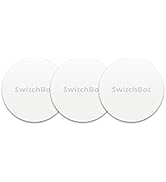
I recently purchased the Switchbot Curtain Rod 2 and installed this is my bedroom. They work fantastically, but it was a little frustrating having to open the app every time i wanted to open/close the curtains. The app is very well designed but it just felt like a faff to keep going into my phone every time. As a result i decided to order the swithbot button which works great. On further research i came across the hub mini which allows your switchbot devices to connect with Alexa/Google Home. Having a ton of alexas in our home i thought i would order and give it a try. The hub mini is a very small and compact device. Installation was super easy, connect to a USB power source (cable but no plug included - however i just plugged the included USB lead into a wall socket with USB power points). Connecting the hub to the app was again very simple - the app walks you through this. Within a couple of minutes i had linked the hub to the relevant switchbot Alexa skill and voila - my curtains were now Alexa controlled! Once connected to your wifi network you can also remotely control devices away from your home environment, such as opening your curtains from work or even abroad! Fantastic for security. What i was not aware of is that the hub mini also has an infrared sender, so you can set this little guy up to control your other smart devices - this includes your TV, Projectors, Sky etc. Programming the device to control my Optoma projector was a piece of cake - the app again walks you through this and inputing the manufacturer and model number of your smart device finds the relevant IR codes. You then walk through a test screen to ensure the buttons are all doing what they are suppost to do. If any of the buttons don't work properly or your device is not known then the app allows you to send your own IR codes directly by pointing your remote at the hub and pressing the relevant button. It auto learns this code and programmes the remote in the switchbot app. Overall if you have switchbot devices then the hub mini is a must! It's good value and has a ton of extra features that i didn't even know it had. I hope that you found my review helpful.
S**E
A great product.
A very good product, it works well opening and closing curtains on a schedule, and light switches. I would highly recommend.
A**R
Easy to use and can be integrated with other platforms
I thoroughly enjoy playing with home automation, and have been using the SmartThings platform for quite a while - but for all the devices out there that can easily be integrated, there are still loads of modern devices that can't. Enter the SwitchBot Mini! This small little box can be used to learn the control signals from most remote controls, allowing them to be integrated into your smart home. The reason I purchased the little SwitchBot Mini hub was to try and integrate a Dyson desktop fan - It doesn't have any smarts of its own, but using the SwitchBot mini to learn the remote control buttons, I was able to integrate the fan with the rest of my automations :) The SwitchBot is small and tidy, the setup process was easy (though, be sure to manually type your wifi password, don't copy and paste), and although there's an option to "automatically learn your device from the remote", this didn't work for my fan. Not that it matters though, it was really easy to manually add each button on the remote by putting the SwitchBot in learn mode and just pressing the button on the remote. As the device just blasts out IR signals, it won't give you any feedback for the status of devices that you're controlling, but it's been reliable every time it's triggered so far :) It's simple and effective. If you have some not-so-smart appliances that use IR remote controls that you'd like to integrate with your smart ecosystem, the SwitchBot Mini Hub is an elegant solution that I'd be happy to recommend.”
H**N
Highly recommend the Switchbot Hub Mini
We have had the Switchbot Hub Mini for a little while now and haven’t had any problems in the time we’ve had it. It integrates well with Alexa meaning we can use Alexa to control other Switchbot devices for example ask the temperature of different rooms in our house or she can control the ir controls (for example turning the tv on/off, usually part of a routine we have set or turning on the tv from another room giving the tv a chance to turn on etc). When we are not home we can check in on the app and see the temperature of different rooms in our house (the hub means you can see these things on the app when you’re not home) giving peace of mind when we are away and our house rabbit is being looked after that the room isn’t too hot/cold). It is easy to set up and add into the Switchbot app and also easy to set up ir controls for different products. Also handy that to power the Switchbot hub is a usb connection meaning it can be plugged into other devices that are always on to power it or into a usb adapter plug (which most people have now days). All in all I would definitely recommend buying one of these if you are thinking about buying any other Switchbot products or even just looking for an ir remote.
I**N
SwitchBot Mini Hub
SwitchBot Mini Hub was my perfect start to automation, Easy to follow instructions, well written. Connectivity with smart things seamlessly. Will be getting me some more products from SwitchBot for my next automation project.
P**S
Funciona excelente te con Alexa controlando el York, aún en los ajustes secundarios.
A**S
The device was advertised as supporting 8 matter devices (still not a lot), but in fact it only supports 4. Switchbot has since then changed the description to mention the 4 device limit. I've returned the Hub Mini Matter and Switchbot has generously send me a free Hub 2 Matter, which supports 8 matter devices.
F**S
Mijn bedoeling was, om mijn Samsung tv en topbox( Kpn tv ontvanger) met mijn Google Nest(Google Home), aan en uit te zetten en het liefst beide, met 1 spraakcommando. Dit is gelukt na wat puzzelen. Mijn tv heeft een aparte knop voor aanzetten en aparte knop voor uit zetten. Uitvoering: 1. Aanmaken aparte afstandbediening voor tv aan te zetten. Genoemd Tv-aan en belangrijk dat de aanknop op de virtuele afstandbediening wordt ingeleerd met de aanknop van je fysieke afstandbediening. Eventueel kan je andere knoppen ook inleren naar wens. 2. Aanmaken aparte afstandbediening voor tv uit te zetten. Genoemd Tv-uit en belangrijk dat de uitknop op de virtuele afstandbediening wordt ingeleerd met de uitknop van je fysieke afstandbediening. Eventueel kan je andere knoppen ook inleren naar wens. 3. Aanmaken aparte afstandbediening voor Topbox aan te zetten. Genoemd Topbox en belangrijk dat de aanknop op de virtuele afstandbediening wordt ingeleerd met de aanknop van je fysieke afstandbediening. Eventueel kan je andere knoppen ook inleren naar wens. Opm.: aan en uit knop is dezelfde knop op de fysieke afstandbediening. 4. In Google Home een Service toevoegen, waarbij je jouw "SmartBot" account en ww moet ingeven. Hierna zie je de virtuele afstandbedieningen bij de Google Home apparaten staan. 5. In Google Home automatiseringen toevoegen. "Televisie aan" met als starter: Hey Google televisie aan Acties: Tv-aan Topbox Beide op "aanzetten" 6. In Google Home automatiseringen toevoegen. "Televisie uit" met als starter: Hey Google televisie uit Acties: Tv-uit Topbox Beide op "uitzetten". That's all.
R**N
SwitchBot製品はもちろんですが、リモコン付きの家電なら大体のものは操作できました。 私の場合、リビングの照明のリモコンが壊れていたのですが、このハブミニでまた操作できるようになり大変助かりました!
Z**O
I wanted a hub to be able to use Fingerbots outside of Bluetooth range and also for the universal remote feature. The hub was easy to set up and functions well, I am able to trigger the Fingerbot in any wifi range. I really like the universal remote learning feature, it's very versatile and allows me to use remotes that don't have a simple code like a typical tv remote. Also like that it's an IR blaster so remote commands reach a wide area. The app has a good interface with matching remote buttons. It would be a nice feature to reorder buttons or even make a custom layout. My one issue is that sometimes it will not register the initial remote command. It usually responds the first time and there is very little lag between pressing the button in the app and it triggering on the remote or Fingerbot.
Trustpilot
1 month ago
3 weeks ago