🚀 Upgrade your desktop’s wireless game—fast, flawless, and future-ready!
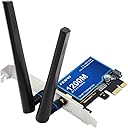
The PCI-E WiFi Card BT4.0 with BCM4360 chipset delivers dual-band AC1200 speeds up to 1200 Mbps and integrated Bluetooth 4.0. It natively supports macOS features like AirDrop and Handoff for seamless Apple ecosystem connectivity, while MIMO technology boosts signal strength and stability. Compatible with Windows 7 through 11 and macOS 10.10+, this adapter offers plug-and-play convenience and reliable performance for professional and hybrid users.


| ASIN | B07T9JD93Y |
| Best Sellers Rank | #455 in Internal Computer Networking Cards |
| Brand | F FENVI |
| Built-In Media | low profile bracket |
| Color | Blue |
| Compatible Devices | Desktop |
| Compatible Operating System Family | Windows |
| Customer Reviews | 4.0 out of 5 stars 306 Reviews |
| Data Link Protocol | Bluetooth, IEEE 802.11ac |
| Data Transfer Rate | 1200 Megabytes Per Second |
| Hardware Interface | PCIE x 1 |
| Manufacturer | FENVi |
| Mfr Part Number | FV-HB1200 BCM4360 |
| Minimum Required Operating System Version | Windows 7 |
| Model Number | FV-HB1200 BCM4360 |
| UPC | 645195971966 |
| Unit Count | 1.0 Count |
F**E
Truly plug and play in macOS
It's not the fastest WiFi and it's not the latest bluetooth, but you plug it in and it works. That carries more weight with me than having the latest and greatest technology. As soon as I installed the card and booted up the machine, macOS (10.14.6) instantly saw both the wifi and bluetooth without issue. Handoff/Continuity is available as well. The only thing to keep in mind is you will need an available USB header on your motherboard. If you only have one and it's used, you can find splitters here on AMZ. In terms of performance, the wifi is respectable and currently maxes out throughput on my "Gig" internet (which lately is more like 500Mb/s, but whatever). Bluetooth is also solid; no keyboard issues and mouse is smooth and responsive. Also, connected to a BT speaker (about 20ft away) with no drops or hiccups. One thing to note, I'm not using the included antennas. Since this tower sits on the floor with its back against a wall, I figured they would be fairly ineffective so I attached the WiFi that came with my motherboard. It has about a 2ft cable so the antenna sits on top of the tower for better reception. We'll see how long it holds up, but for now, highly recommended for price/performance ratio and compatibility.
R**T
Perfect for Hackintosh
I built a budget video editing hackintosh, and one of the most important features to me was Airdrop and Handoff. At first I didn’t think I could use this card because my graphics card covered up the PCIe 1 port (leaving only a PCIe 4 port open). So I bought Bluetooth and wireless USB dongles, and they worked but not with airdrop or handoff. So I returned them, and then learned that you can put smaller PCI cards into larger ports. As soon as I put this card in, airdrop and handoff worked flawlessly. *not sure if it was because I already added kexts when trying the dongles, or if it just simply works. Either way, I love it, it was a little cheaper than the similar fenvi card recommended for hackintosh builds, and it works perfectly. As for range? I have a home office so I’m sitting at my desk when using airdrop and handoff so range hasn’t been an issue at less than 6 feet. The wifi aspect works great because my router is at the other end of the next room, and internet speeds are great.
M**O
5,1 Mac Pro, it works!
I’m running Windows 10 on a 5,1 Mac Pro. There is no macOS on this system and the superdrive was converted into space for an SSD so I needed to use the manufacture website to download the drivers to an WiFi and Bluetooth. When I ran the WiFi driver installer it caused Windows to crash and fail to properly boot. So I had to boot to safe mode and try and finish the installation. I was able to do this and then rebooted everything was fine working fine. Both WiFi and Bluetooth are working well, though it’s in an area where the network is generally slow so I can’t speak to speed caps. For the price it seems to be a good choice with simple installation. The hiccup I had could be because I’m running a Frankenstein’s monster as a PC.
V**V
Tripe boot compatible! Ubuntu 20, Windows 10, MacOS 10.15
I needed a WiFi + Bluetooth card for my triple boot hackintosh. I'm happy to report that it "just works" for everything except Linux. Windows 10: - Plugged it in, "just works" - WiFi speed maxed out my router - Bluetooth option appeared and paired my AirPods and Bose 35 MacOS 10.15 - Booted my hackintosh, works with wifi and bluetooth. - Wifi Speeds good, bluetooth excellent. - Unlocking with my Apple Watch "just works" Linux (Ubuntu 20.04) - WiFi required installing the `broadcom-sta-dkms` for this 14e4:43a0 (rev 3) Broadcom 4360 - DO NOT INSTALL the b43 driver, it doesn't support this card. - Bluetooth does not appear to be possible. I tried a ton of different solutions, and ultimately just bought a $15 USB adapter. So all in all, this "just works" on MacOS and Windows, and provides WiFi on Linux. For $50 this more than suffices.
R**N
SAVE YOUR MONEY BUY REALTEK
I put this in my pc and it connects to internet yet my laptop gets more stable and faster connection in the same exact location. This thing has TWO antennas and its faster internet to plug an ethernet cord into my laptop and connect it to my desktop to get internet than using this junk card. my laptop has a realtek wifi card. this fenvi card is broadcom which I heard is really bad on the forums. I don't get how it has 5 stars.
E**N
Works but VERY VERY slow
It technically works but with some issues. Bought to install in a 2008 Mac Pro running OpenCore to give it WiFi as these Mac’s don’t always come with WiFi. It picked up the WiFi no issues but the data speed is pretty bad. The driver disc is a .exe file which is only for windows so you can’t even install a driver to optimize it. Plugging the system into my MacBook via Ethernet and using WiFi Sharing is significantly faster. The Bluetooth uses an internal USB header that Macs don’t have so you would have to get an adapter to plug into a USB A port on the back of the system. Not a huge issue but kinda annoying and another part you have to buy. It does technically “work” but very disappointing given how few WiFi cards are out there that work with a Mac. Would recommend a different card if you can find a good one
Z**S
WORKING ON LAPTOP, MINOR ACTION NEEDED
I purchased this PCI-E wifi card last year, and use it on my desktop hackintosh. It did well and really just plug and play, no driver needed for me and all functions works well. And now, I am hacking another laptop into hackintosh but I only have a intel wifi card installed (intel 8265, you can actually use this with itlwm and IntelBluetoothFireawre, macOS Catalina recognized intel wifi now), I try to disassembled this PCI-E card. After I removed this metal shell, it is just a 2230 BCM wifi card as I expected. So I take it off and replace the intel card with it. Turn on the system and boom, everything just work. No need for manual config or anything else, it just fully functional at all. AirDrop is working, Bluetooth also working, pair with AirPods with no hesitate Now this built really performed like a real MacBook and it's awesome.
B**E
Great for Hackintosh!
This is a great card for Hackintosh! Works right out of the box with no additional kexts or settings. I can confirm the Fenvi works on Mac OS Sierra, High Sierra, Catalina, Mojave & Big Sur. The card is well built and the antennas are pretty durable. This card will get max speed out of your router up to the cards speed limits in each band for up to about 50 feet from the router in the same room. I like how this does not use the snap on antenna connectors on it like other cards do, that can come off, they are hard soldiered onto the card. I highly recommend!
Trustpilot
1 week ago
2 months ago