


🎨 Unlock your creative edge anytime, anywhere with Wacom’s sleek digital canvas!
The One by Wacom Small Graphics Drawing Tablet offers a 5.98" x 3.74" active area with 2048 pressure sensitivity levels, delivering a natural pen-to-paper feel. Compatible with Chromebook, Mac, and Windows via USB-A plug-and-play, it requires no driver installation. Lightweight and portable, it includes a battery-free pen and free software trials plus training, making it ideal for students and creators seeking professional-grade digital drawing technology.


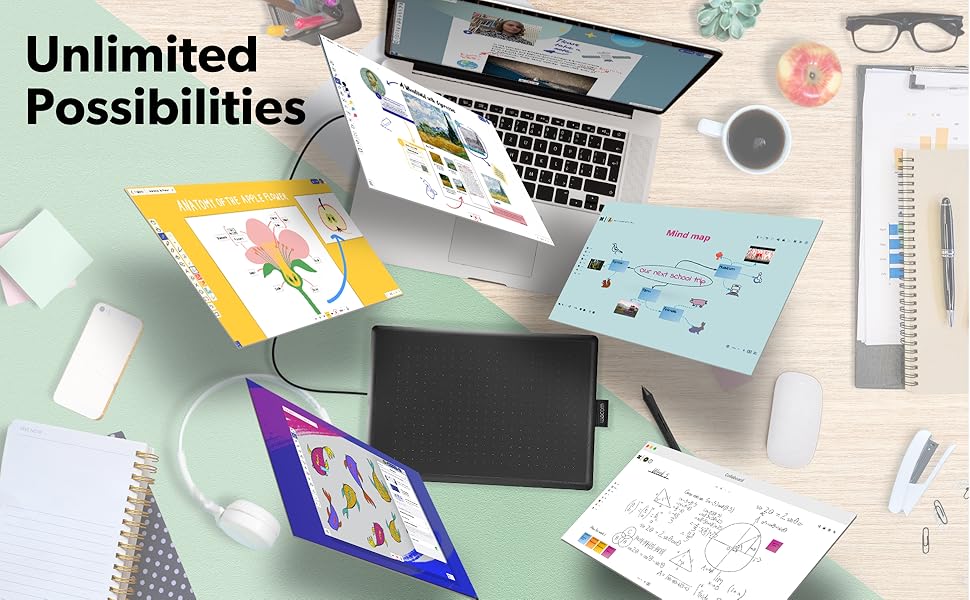


| ASIN | B07S1RR3FR |
| Active Surface Area | 5.98" x 3.74" |
| Additional Features | Plug-and-play with Chromebook |
| Best Sellers Rank | #108 in Computer Graphics Tablets |
| Brand | Wacom |
| Built-In Media | Digital Pen, USB Cable |
| Color | Black & Red |
| Compatible Devices | Chrome, Mac, PC |
| Connectivity Technology | USB-A |
| Customer Reviews | 4.5 out of 5 stars 7,344 Reviews |
| Display Type | LED |
| External Testing Certification | Não aplicável |
| Global Trade Identification Number | 00753218985835 |
| Item Dimensions L x W | 5.7"L x 8.3"W |
| Item Type Name | Graphics Tablet |
| Item Weight | 440 g |
| Manufacturer | Wacom Technology Corporation |
| Mfr Part Number | CTL472K1A |
| Model Name | One by |
| Model Number | CTL472K1A |
| Native Resolution | 1920x1080 |
| Number of Items | 1 |
| Operating System | OS X 10.10 Yosemite, Windows 10, Windows 7, Windows 8.1 |
| Pressure Sensitivity | 2048 levels |
| Special Feature | Plug-and-play with Chromebook |
| Specific Uses For Product | Drawing |
| Target Audience | Student, Teacher |
| UPC | 753218985835 |
| Unit Count | 1 Count |
| Warranty Description | 1 year manufacturer |
S**L
Is perfectly compatible with my MacBook, and works GREAT with ZBrush
I don't understand the bad reviews...this is the FIRST Wacom product I've ever bought that was truly plug and play. I'm on a MacBook Pro with USB-C, and shockingly, once I connected it with a USB-A to USB-C adapter (I used the Apple branded one), it automatically started working. I own about ten of the Intuos pads that I use for teaching ZBrush, and several other Wacom tablets (24" Cintiq Pro, 16" Cintiq, and Movink), and I've had issues with compatibility and drivers. This works amazingly well. It's nice and small, and an improvement over my Intuos pads. I even recently added the Bluetooth Intuos, and it's terrible and laggy. For $40, I'll probably replace all of my Intuos tablets for teaching. I recommend this one.
J**R
Perfect graphic tablet for drawing!
I use it every day and it is easy to use. It reminds me of the old Wacom Bamboo tablets. Although there are other cheap graphics tablets, I bought this one because I’m a beginner and everyone I’ve talked to has had their Wacom for many many years and they still work!!! I like that I can get a quality drawing tablet at a good price (without having to buy some cheap Chinese crap that’s going to sit in a landfill after a year because it stopped working) I also like that there aren’t batteries that I have to replace. I use it on both a Macbook Pro and a Windows PC. The Windows PC didn’t require drivers, but I suggest installing them anyway, so you can customize the pen buttons. As a someone just getting into digital art, I’m very pleased. It’s not as full-featured as some of the other Wacom tablets, but it’s certainly a great starter tablet. And for Wacom quality, you can’t beat the price. Pros: - a reliable and inexpensive tablet - Pen doesn't require a battery or need charging time - 2 shortcut keys on pen - straightforward installation of drivers - Wacom quality - Small size is very portable Cons: - no shortcut keys on the tablet (only on the pen) - not wireless - no touch surface
K**R
Honestly the best tablet for osu! right now.
Ok, getting the title out the way, I bought this tablet for osu!, a rhythm game where you aim your cursor and click the notes to the music, this review probably won't help you if you're looking at this for art purposes. Starting with the surface, the tablet is very rough and paper-like on the surface, but wears down and becomes smooth after about an hour of playing (dragging) on a select area. Yet, I can't say the same for the pen nib, the pen nib is very smooth and takes about a day to 2 days to wear down to the friction you drag, note this only applies to dragging players however. The Wacom drivers are okay, but they have a small bit of hardware smoothing and have limited settings on adjusting tablet area as the drivers were made for artists, so know to download opentabletdriver if you would like less delay and a better experience for osu! For the pen itself, I do have a few criticisms about it that knock this tablet down a bit in my own personal ratings. First is the buttons, now yes, even though this pen was made for people to draw and use the buttons for commands, the buttons get in the way with any way I try to grip the pen at the bottom, including when I actually want to draw something with the tablet. Second is the grip, the pen is very slippery and has a smooth finish on the texture, so it always slips out my hands when I get sweaty or even when I don't get sweaty. I had to apply tennis overgrip to the pen to solve this problem so yeah it is a pretty big issue. Yet, circling back to the tablet, it is a good tablet overall, and compared to the CTL/CTH 480 which is discontinued and costs hundreds to get from Japan, this tablet costs only 40 dollars, has a 133hz refresh rate, and is available anywhere you can go on amazon. In general, I recommend this tablet for osu!, and you should buy it. If it's good enough for the number 1 player, why wouldn't it be good enough for you!
M**R
Great For school! Inexpensive! The Small size was perfect! Prefer over tablets!
Great product. Works well. There are some flaws with Mac versions but their customer support line was very helpful and easily talked me through the full activation of the product. I was worried it would be too small. It isn't. You get used to using it quickly. It only took me a couple hours before I got the hang of it and after several days, no problems. I started by just writing with the tablet and I am expanding out to their advanced features. For the price it is a win! I have bought multiple tablets and tools for taking notes in class and specifically, doing Math homework. This works better then a 500 dollar tablet I purchased.
C**N
Good for gaming as well.
Use it to play osu! and its great. Super light weight and easy to store since its so small. Very reactive and doesn't have delay. Didn't use it for art that much but it is definitely a good budget choice if you want to get into ous!
B**1
Perfect for Osu
Got this tablet for Osu since it was recommended by nearly everyone due to its price and no lag input/delay. I also decided to use open tablet driver over the wacom drivers since the wacom drivers apparently have bloat and can add latency. Only thing I could dock off a star is the pen since it is pretty thin (I will probably end up purchasing a second hand CTH/CTL 480 just for the pen since it is thicker and more comfortable according to a lot of people who tested between the two. Also all the pros use it like shigetora/cookiezi.) But for 99% of people, this is definitely the go-to tablet for Osu. Tablet quality itself is nice and surface is extremely smooth.
C**E
Works great, works on Linux
A very simple and affordable drawing tablet. I was worried it'd be hard to use, lacking a screen, but I got used to it extremely quickly. It works on Linux no problem. For normal programs (that don't have custom tablet support), it maps to the following: - Hovering over the tablet: move the cursor without clicking - Tapping: left click - Dragging/drawing: left click & drag - Lower button: middle click - Higher button: right click Keep in mind by default, the left side of the tablet is the side with the micro USB port. You can flip the orientation in your computer's settings; best to search how yourself.
K**3
Decent for beginners but still a little pricy
Wacom is a trusted well known and trusted brand in the art industry. They make some pretty high end tablets and some low end ones to, this would be one of the low end ones. No software, no buttons except on the pen / stylist, which can be a plus side if you look at it, it gives you more work space... That being said it does have less pressure then the other models, but I doubt you'll notice much of a difference if you are just starting out, but if you are a artist and or like to draw already, then i would save your money and get another tablet.. Wacom might be a great company but there are a few others behind them still holding strong and cheaper. If your looking for a tablet and money is not a concern, but u just want to start out, then this is great choice for beginners to entry level, even your basic photo editing nephew would love this for the holidays, lol.. (im sure they might shave 10 to 15$ off come the holidays for this? then it be worth it, and a great gift) *Edit* After 3 hours of testing it, it has stopped working on me and disconnected on me at least 4 to 6 times. Software or hardware? no idea, ive done a fresh install on software, and still had an issue, not happy. did a re install of the drivers /fresh, and fresh restart as well, 3rd time round seemed to happen less, no idea why, but still happening to me, maybe just a lemon tablet for me. (that being said there are some bad products out there if your really interested in this tablet do it, only if its on sale tho, 50+ is just to much, but its also a great gift idea for your friends/family members that loves art, or photo editing.) Plus side of things + working surface is big for its size + light weight + Great tablet for Beginners +good tablet for photo editing Cons - *edit* disconnecting issue (might be just mine /lemon) - Price $50+ is still to much for this - no bluetooth - cord is short - only 2048 levels of pressure -+ No buttons / shortcut keys
C**Z
Excelente para fotógrafos
La compré para utilizarla en Photoshop . Cumple con todas mis expectativas para el retoque de retratos . Justo por mi trabajo no requiero algo grande y el tamaño de esta es excelente ya que la puedo poner en cualquier parte . Incluso transportar .
Y**Y
Great quality
Works great but feels a bit small for me
J**K
Great piece of kit
This works well and is more accurate than a mouse. Some systems have features where you can use the pen and that makes it really simple. Can even log into windows 11 with it and not get errors
E**A
Great for hobbyists or occasional use
I have had this for over 5 years and it is still going strong! The size makes it very easy to take with me on the go, and the replacement pen nibs are helpful as well. I recommend this for occasional use due to its size, but it works very well with most programs and laptops.
S**A
التابلت زي الوصف
العلبة الخارجية كان فيها خدوش بسيطة من الحواف لكن التابلت والأجزاء الداخلية كانت مقفولة كويس ومش مستعملة.. أداؤه زي مواصفاته، محتاج شوية تدريب عالكتابة والرسم بيه
Trustpilot
1 week ago
2 weeks ago