Buy anything from 5,000+ international stores. One checkout price. No surprise fees. Join 2M+ shoppers on Desertcart.
Desertcart purchases this item on your behalf and handles shipping, customs, and support to Indonesia.
๐ฎ Own the game with wireless precision and customizable power!
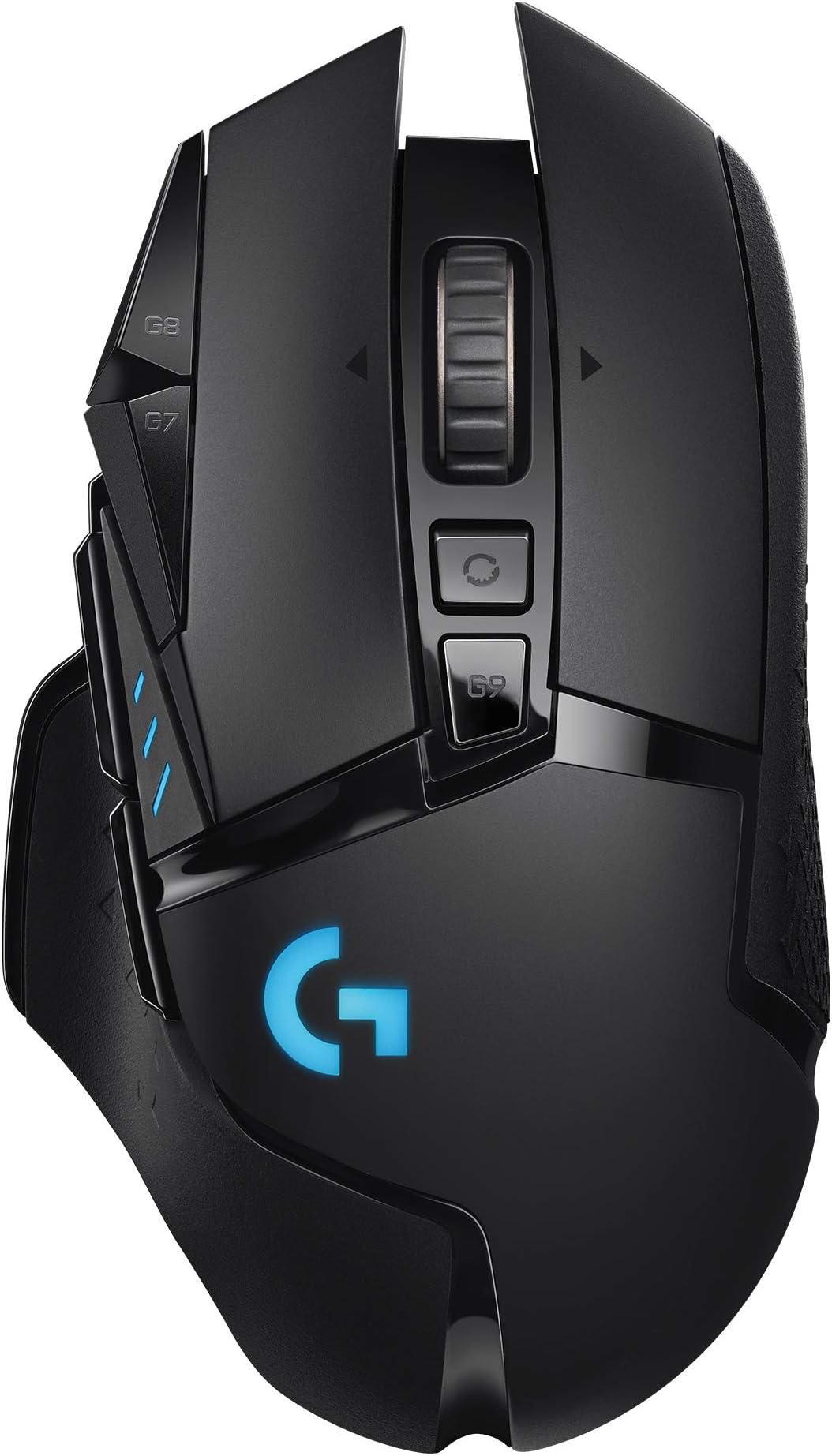
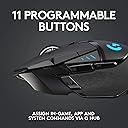
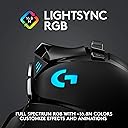
The Logitech G502 LIGHTSPEED is a wireless gaming mouse engineered for professionals and enthusiasts alike, featuring the HERO 25K sensor with up to 25,600 DPI for unmatched accuracy, LIGHTSPEED wireless technology for ultra-responsive performance, 11 programmable buttons for personalized control, adjustable weights for perfect balance, and vibrant RGB lighting. Its robust battery life and ergonomic design make it a top-tier choice for long gaming or work sessions on PC and Mac.


| ASIN | B07QKC4WWD |
| Antenna Location | Gaming |
| Are Batteries Included? | Yes |
| Are Batteries Required | Yes |
| Battery Average Life | 60 Hours |
| Best Sellers Rank | 1,314 in PC & Video Games ( See Top 100 in PC & Video Games ) 8 in Xbox Accessories 10 in PlayStation 2 Accessories 11 in PlayStation Accessories |
| Box Contents | 1 piece |
| Brand | Logitech G |
| Brand Name | Logitech G |
| Button Quantity | 11 |
| Colour | Black |
| Compatible Devices | Personal Computer |
| Connectivity technology | LIGHTSPEED wireless |
| Customer Reviews | 4.6 out of 5 stars 12,690 Reviews |
| EU Spare Part Availability Duration | 2 Years |
| Embellishment Feature | LED |
| Enclosure Material | Plastic |
| Global Trade Identification Number | 05099206082106 |
| Hand Orientation | Right |
| Hardware Platform | PC |
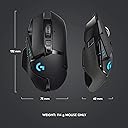
| Item Dimensions L x W | 13.2L x 7.5W centimetres |
| Item Type Name | G502 |
| Item Weight | 114 Grams |
| Manufacturer | Logitech G |
| Manufacturer Part Number | 910-005568 |
| Model Name | G502 |
| Model Number | 910-005568 |
| Mouse Maximum Sensitivity | 25600 Dots per Inch |
| Movement Detection | Optical |
| Movement detection technology | Optical |
| Network Connectivity Technology | LIGHTSPEED wireless |
| Number of Batteries | 1 Lithium Polymer batteries required. (included) |
| Number of buttons | 11 |
| Operating System | Chrome OS |
| Pattern | Single |
| Power Source | Wireless (Battery Powered) |
| Product Features | Wireless |
| Product Finish Type | Glowing |
| Product Warranty | 2 year manufacturer |
| Range | 1.0 meters |
| Special feature | Wireless |
| Style Name | Lightspeed Wireless |
| Theme | Video Game |
| Unit Count | 1.0 count |
D**C
A pricey but quality product.
I've had my G502 since Feb 2020 so a little over 5 years and it's still going (all be it with a few bumps along the way). It fits my had well and all those buttons are suprisingly useful both in games and general use. There are rubberised section along each side to enhance grip which I find more comfortable than hard plastic. The buttons all have a satisfying feel and the clicks are solid without being heavy. I've had zero problems with connectivity and the battery life is pretty outstanding (I charge it every few days). Personally I think the weights are a bit pointless but that's a preference and they are optional afterall. The sensitivities can be altered on the fly and the software allows for finetuning of various settings but I find the overall software experience clunky and unintuitive so don't really bother with it. Now let's talk reliability. I've had it 5 years, for a few days about 6 months ago the right button simply would stay active after being pressed, it would click once and that was it (and when you hold the right button down to aim in a game it's a massive problem). As I said after a few days it seemed to resolve itself and hasn't reoccurred so far. I needed to replace the feet/skids after about 3 years when they got badly worn by a hard mouse pad (replacements readily available here on Amazon) at a fraction of the price of a new mouse. I also had the Powerplay charging mousepad but it died after about 2 years, it was convenient but not worth the money. I've replaced it with a mouse dock that I pop the mouse on overnight every now and then (it's simple to check the general charge of mouse at the click of a button). One thing that is slightly annoying is that when the rubber grip sections get worn there's nothing you can really do other that bodge a replacement with grip tape or buy a 3rd party shell replacment. Mine are very worn after 5 years (down to the plastic in 2 spots), the mouse isn't unuseable or uncomfortable it's just annoying that I can't replace them easily. In conclusion, the mouse is expensive but it's a quality product that will last a long time if you don't abuse it by throwing it across the room in gamer rage. When it eventually dies I'll very probably get another.
J**J
Great Mouse, well worth the price when discounted
Excellent mouse with precise tracking and bindable buttons. Perfect for numerous usecases and the additional weights provide an extra level of comfort when needing a heavier mouse. Battery life is excellent rarely requiring charging and has worked flawlessy for myself working on everything ive used it with.
A**H
Brilliant mouse, buggy software
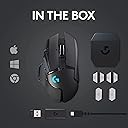
Got this mouse for a discounted price of ยฃ60 with the currently running promotion of 33% off on 3 month PC Gamepass. Right off the bat, the first thing I noticed is how big this box is. Maybe it's just me since I've never really purchased any wireless gaming before, let alone a heavily accessorised one like this. In the box: โข The mouse โข USB-A to micro USB cable (not braided unfortunately) โข Quick start manual and safety documentation โข Box with dongle and weights At stock configuration, the mouse didn't feel much heavier than my trusty Redgear Emera G11. It's shaped really well with a lot of mappable buttons which are gonna take some getting used to but are still placed conveniently within the reach of the thumb and index finger. The mouse has two zone RGB, the logo and the lights at the side. The RGB has a few effects that can be configured via the G-Hub. My first time trying to set up the RGB was a bit of a headache trying to navigate the G-Hub UI. Plugging the mouse in the first time, you'll notice that it charges pretty quickly but for some reason mine would not go beyond 68%. Looking around on Reddit showed that this is a software bug and the mouse does in fact charge to a 100%. It's 2023 and Logitech sadly hasn't fixed it. Apart from that, I have experienced no caveats with the mouse so far.
E**D
The BEST all use mouse, but difficult to repair
The best all use mouse out there in my opinion, there's nothing better. It's plug and play, has good customisation options, macros. After many years of use, naturally my left click button was worn out, so I had to replace it. This is THE MOST difficult mouse to disassemble that I've ever seen, picture attached. It just seems entirely over engineered. This mouse uses quality Omron switches, they didn't cut any corners. Also after years of use, the rubber coating goes and becomes brittle, you'll have to scrub it off the plastic. I have L hands, the mouse fits me perfectly.
J**B
A very, very good mouse.
This mouse still lives up to its name, and is deserving of its cult following. I had one of these for three years and then accidentally spilled superglue on it, so I just bought another. The price is quite steep, but it's on quite a large discount quite often so I'd wait until it is on discount. The mouse lasts for years, has a good battery, lots of features and is comfortable. The grippy rubber surfaces can be quite hard to clean. The mouse offers onboard storage, so it can be used across multiple devices without re-configuring I recommend using onboard memory manager rather than G-hub.
T**E
Perfect Gaming Mouse
I needed a new wireless, ergonomic mouse used for normal use and gaming. I am huge gamer, who mainly games on PC and this mouse rung all the bells and whistles. Great Battery life, can last a very long time before it needs to be charged. I also love the added case with the weights in the mouse, it is good for long gaming sessions and the weight also improves the mouse's travel speed and surface friction. these weights add a small amount of heaviness which is ideal for first person shooter games. the only downside is that it uses Micro-USB instead of the more, modern USB Type-C connection. due to it's lightspeed technology there is very little latency and performs better than expected. it is a bit expensive but, worth every penny. I also like how the mouse goes into deep sleep when inactive for a time period to conserve power and save battery. the mouse is controlled using Logitech's G Hub Software, while not perfect it offers enough functionality to customise your mouse. which is available on Windows and Mac. the mouse also works perfectly in Linux albeit it needs some tinkering. you need an opensource app called piper which acts a frontend to libratbag which is the driver that controls the mouse. if you want to know the battery, you need to download another software called Solaar which are both available in pretty much any repo. only downside is there is no software on linux that can control the rgb properly, you can use Ckb Next or openrgb. but both are not perfect and will not always work. hopefully, Logitech adds support to Linux or the Open Source community builds a software that is similar to Logitech G Hub which can control the lighting, the core support is there. All in all it is a great mouse and works as intended.
A**N
Perfect purchase
Perfect gaming mouse! One of the best purchases in years. This one is so complicated and simple in the same time. So many options and futures as no other gaming. The extra weights are nice
D**J
Great mouse
I've had a wired G502 since 2015, and it still works well, though the cable and rubber grip are showing their age. I decided to upgrade to this wireless model while it was on sale, and it is just as advertised. The mouse wheel is very important to me, and this is a great mouse wheel. Very tactile, not had any issues clicking it down, and it has an interesting freescroll option (which I don't use very often). It has a soft-touch finish which I think is a nice touch. It does seem to have a bit of wobble left to right, but it's not noticeable when you're scrolling. It's definitely an unconventional shape, but it fits my hand very well. Some reviews say they accidentally hit the side buttons too often - I've never had that issue, and I'm sure it's just because they haven't adjusted to the shape of it. I use a fingertip grip rather than a palm grip, so maybe that has something to do with it. It comes with a USB extension cable, which the receiver plugs into. They advise you to place the receiver within 20cm of your mouse on your desk, so it works even if your PC is under your desk or something. You can use the USB cable to charge the mouse as well - it has a decent battery life, I can't imagine it running out mid-session unless you don't charge it for a while. You can use it while it's charging too, so that's not really an issue. There is no noticable latency. The software is pretty bad (as usual with gaming hardware). It's not explained very well. There's no way to have a generic 'gaming' profile either, which seems like an incredibly basic feature. It does let you set up basic macros though, and lets you completely override and change the behaviour of all buttons, which is pretty useful. UPDATE: 6 months on, no complaints. I've never had the battery run out. For me it lasts about a week with probably about 10 hours of usage a day, and it charges within hours while using it.
Trustpilot
2 weeks ago
1 month ago